Skip to content
techworthit
techworthit

One question, one number. TechWorthIt reads the world's tech reviews and reporting, then tells you whether it's worth your money, with every source linked.

How we scoreAboutContactPrivacyTermsRSS
© 2026 TechWorthIt · We may earn a commission from links. It never changes a verdict.
LatestReviewsDealsSearchSaved 0
SectionExplainers / Smart Home
AuthorTechWorthIt Desk
PublishedNov 14, 2026 · 3 min

What is a smart display, and why is Apple's HomeView one?

A smart display is a screen built around voice and shared use in a room. Here is how the category works and what Apple's HomeView shows about where it is headed.

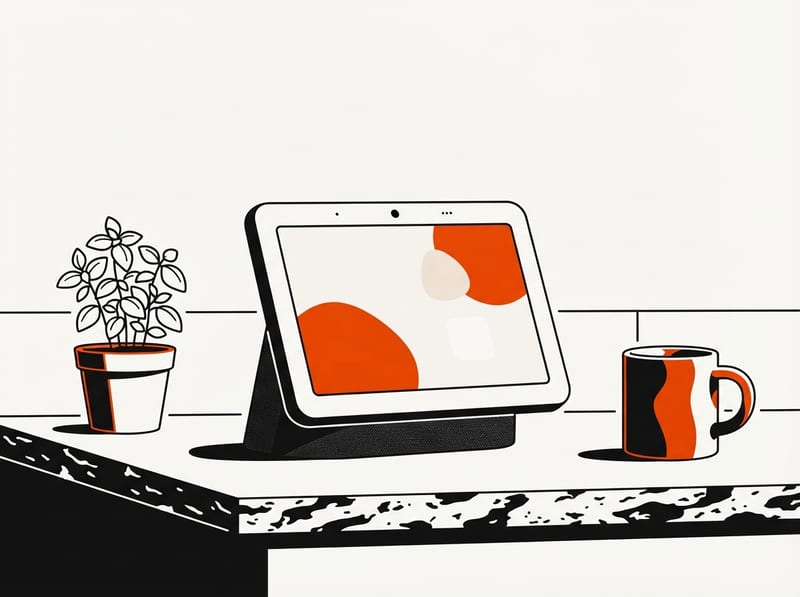
A countertop smart display with a tablet-sized screen and fabric speaker base sits on a kitchen counter beside a small plant and a mug.
Illustration
On this page
  1. What is a smart display, exactly?
  2. How does HomeView fit that definition?
  3. Why is voice the main interface?
  4. What does the missing App Store mean?
  5. What does it mean for buyers?
0% read
On this page · 5 sections ▾
  1. What is a smart display, exactly?
  2. How does HomeView fit that definition?
  3. Why is voice the main interface?
  4. What does the missing App Store mean?
  5. What does it mean for buyers?
TL;DR
A smart display is a screen-equipped home device that you mainly control by voice, built for shared use in a room rather than private use on a phone. Apple's HomeView follows that model, with face recognition for up to six people and no App Store, which makes Siri AI and App Intents the main way to get things done.

A smart display is a small touchscreen device that sits in a shared space and is operated mainly by voice. It pairs a speaker, microphone and screen with an assistant, so it can show camera feeds, calendars, video calls and controls for connected devices. Apple's HomeView, which went on sale November 13 at $299, is the company's version of the idea.

What is a smart display, exactly?

Think of it as a smart speaker that can show you things. A speaker can answer by voice only, while a display can add a camera feed, a list of reminders or a video call. The screen is secondary: the assistant is the main interface, and the display backs it up.

That separates it from a tablet. A tablet is personal and built for long sessions with apps. A smart display lives in a kitchen or hallway, gets glanced at, and is meant for short interactions with several people using the same device.

How does HomeView fit that definition?

Per 9to5Mac, HomeView has a 7-inch square display, an A18 chip and a 12MP Center Stage camera for FaceTime. It comes in a tabletop version with a built-in base and a wall-mounted version. Digital Trends notes that the wall version needs a separate mount from Schneider Home, starting at $59.95.

The shared-use design shows up in how it handles people. As MacRumors reported, it can recognize up to six users by face, each with a personalized Home Screen. Digital Trends adds that it can show each person's messages, calendars and reminders. Macworld describes the intent: the device is meant to be used by several household members at once, while private details such as iMessages stay visible only to the active user.

Why is voice the main interface?

In a shared room, tapping through apps is slow and awkward. Speaking a request is faster, and anyone present can do it. That makes the assistant the product. HomeView is built around Siri AI, which Digital Trends says can also understand what is on the screen and answer questions about it.

There are limits. Digital Trends reports that personal context features require a paired iPhone or iPad with Apple Intelligence, that Siri AI is still in beta, and that some features have daily usage limits.

What does the missing App Store mean?

Macworld argues that HomeView has no App Store by choice, since the hardware was reportedly ready for around two years. Its reading is that Apple wants developers to support App Intents, a mechanism that lets apps expose actions to Siri, instead of building apps for a small screen. Under that model, an app is useful on HomeView only if Siri can trigger what it does by voice.

Keep reading

News / Smart Home13d

Apple HomeView code points to a HomeKit security camera mode

Strings in HomeView Software 27.2 describe motion detection, streaming and recording with HomeKit Secure Video, though Apple has announced none of it.

A small indoor security camera on a shelf sending signal waves toward a nearby smart display showing a simple abstract shape.
News / Smart Home17d

Amazon unveils Echo Show 16 and four other Alexa devices

Amazon's October 28 launch adds a $499.99 16-inch display, a camera-equipped Echo Studio, a hub-style Echo Dot, a bedside clock and a photo frame.

A large smart display with a blank-looking screen sits on a counter beside a small round smart speaker and a compact bedside speaker.

Related verdicts

Wait · 7.7
Apple HomeView
$299

This is the outlet's analysis, not something Apple has confirmed. It is still a useful way to understand the category: on a smart display, the assistant and the actions apps expose to it matter more than the apps themselves.

What does it mean for buyers?

A smart display makes sense as a household control point: viewing cameras, managing lights and locks, making calls and checking a shared calendar. It is a weaker fit for watching long videos. Macworld calls the square screen impractical for media, and Apple's own Apple TV 4K covers that job.

Availability also matters. Digital Trends lists the US, UK, Canada, India, Australia, New Zealand and Singapore as launch markets. The European Union is excluded because Siri AI is not available there yet, and Apple has given no timeline.

The broader point is that a smart display is judged by its assistant. A good screen cannot compensate for an assistant that is limited, in beta or missing in a region.

The news behind this
Apple HomeView and Apple TV 4K go on sale at $299 each →

Sources

  • MacRumorsApple Launches Two Products Today↗
  • 9to5MacNew Apple TV 4K and HomeView now available: Here’s everything you need to know↗
  • MacworldHomeView is Apple’s first post-iPhone device↗
  • EngadgetPre-orders for some Apple Home Collection devices will open November 13↗
  • Digital TrendsApple’s $299 HomeView is finally in stores, with a smarter Siri still in beta↗

HOW THIS WAS MADE · Written by the TechWorthIt Desk with AI assistance from 5 published sources, linked above. Facts are cross-checked against those sources before publishing; we never claim testing we didn't do. Last updated Nov 14, 2026. Spotted an error? Tell us.

News / Phones19d

Apple iOS 27.2 adds Siri AI memory, five languages and Dual Capture

The first major iOS 27 update lets Siri AI recall past chats, widens its sources and languages, and fixes more than 160 security flaws, but leaves out the Health app redesign.

A smartphone with a glowing orb on its blank screen, surrounded by faint speech bubbles and a small padlock, suggesting an assistant that remembers past chats and a security update.
Explainer / Smart Home4d

How does Ring's cloud-piloted security drone actually work?

Ring's new indoor drone offloads its navigation brain to remote servers. Here is how that design works, what it makes possible, and what it costs in privacy terms.

A small indoor camera drone hovers in a hallway while a thin beam of light connects it upward to a stack of remote servers.
techworthit
01 Reviews02 Explainers03 News